PlayStation Portal / Product Design
PlayStation Portal
I helped shape PlayStation Portal from early concepts through launch, making connection, navigation, and system controls feel at home on a dedicated Remote Play device.
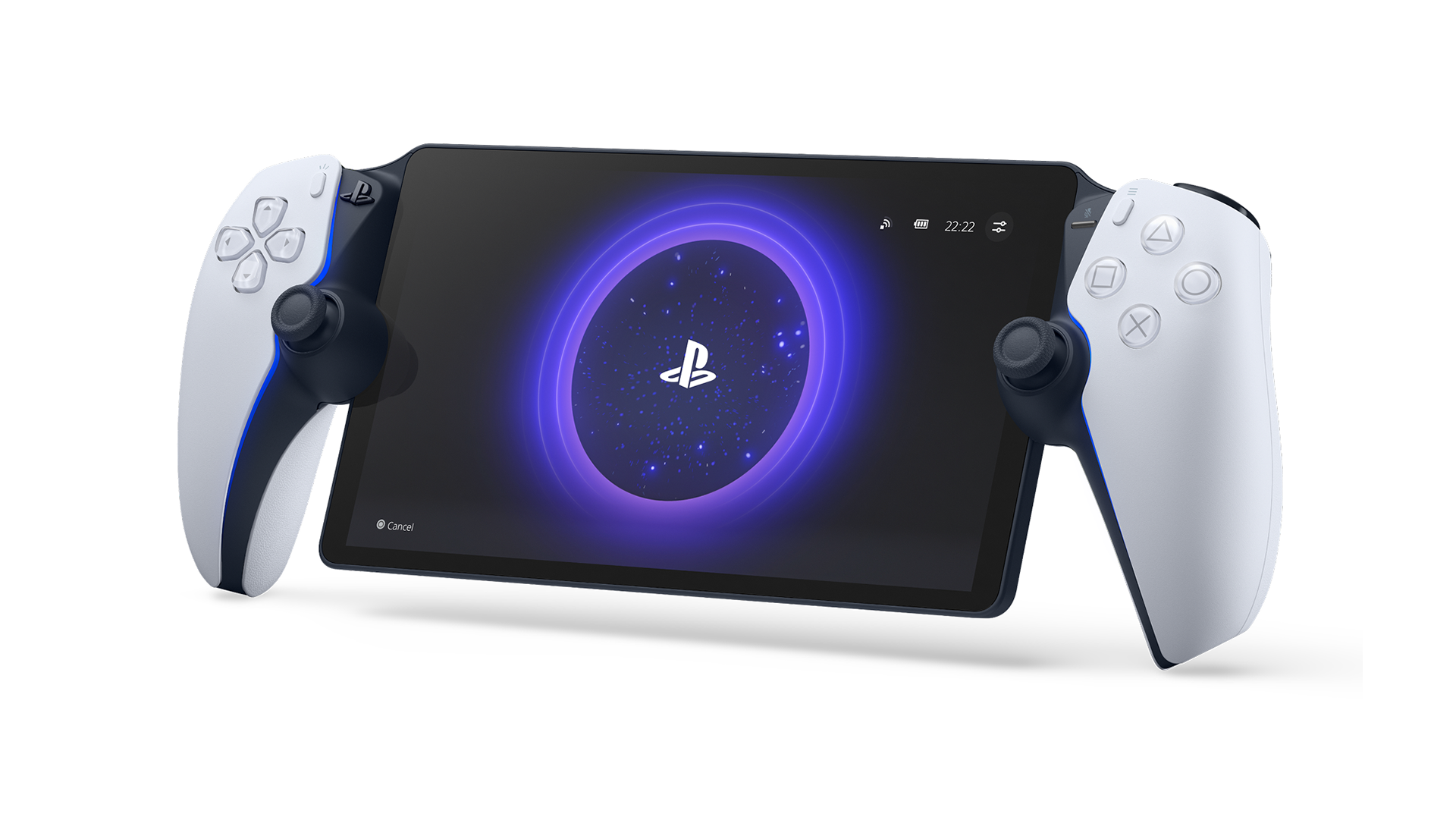
Senior UX Designer · 2022–2023 · Concept to Launch
One of three founding product designers. I designed the Quick Menu experience, contributed across core system surfaces, and co-designed Portal’s design system with the team.
01 / The Challenge
A working connection could feel broken.
Portal depended on a PS5, a network, and a handheld working together. In playtesting and QA, players sometimes read a working connection as a stalled one. The interface needed to make progress understandable without exposing every technical step. How could we help players trust what was happening—and keep their attention on the game?
How could we help players trust what was happening—and keep their attention on the game?
Make system state legible.
Keep common controls within reach.
Interrupt only when the player needs to act.
Keep common controls within reach.
Interrupt only when the player needs to act.
02 / Connection States
Show progress players can recognize.
We treated connection as a sequence of meaningful states: a starting point, visible activity, and a clear transition into play. I helped translate the underlying system behavior into feedback players could follow.
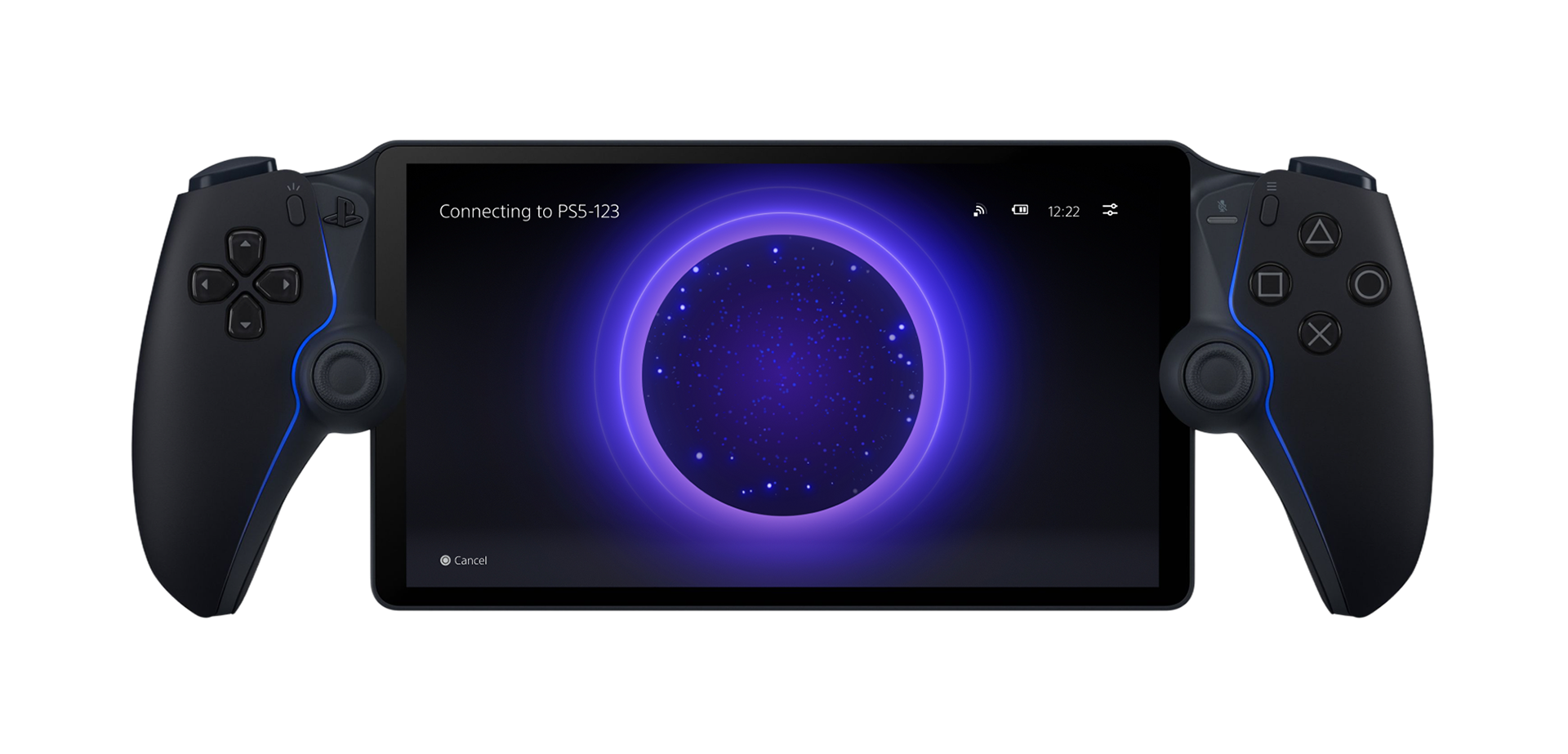

HOME → CONNECTING → READY
A familiar starting point, visible system activity, and a reveal of the game as the connection completes.
A familiar starting point, visible system activity, and a reveal of the game as the connection completes.
The design priority was clarity about state, rather than an explanation of every process behind it.
03 / RESEARCH → INTERACTION
Start with how the device is held.
We partnered with UX Research to understand comfortable thumb reach while players held Portal. Those findings shaped where system access could appear and how large its touch targets needed to be.

Thumb-reach studies informed placement and target size. The aim was to make touch access work with a natural grip.
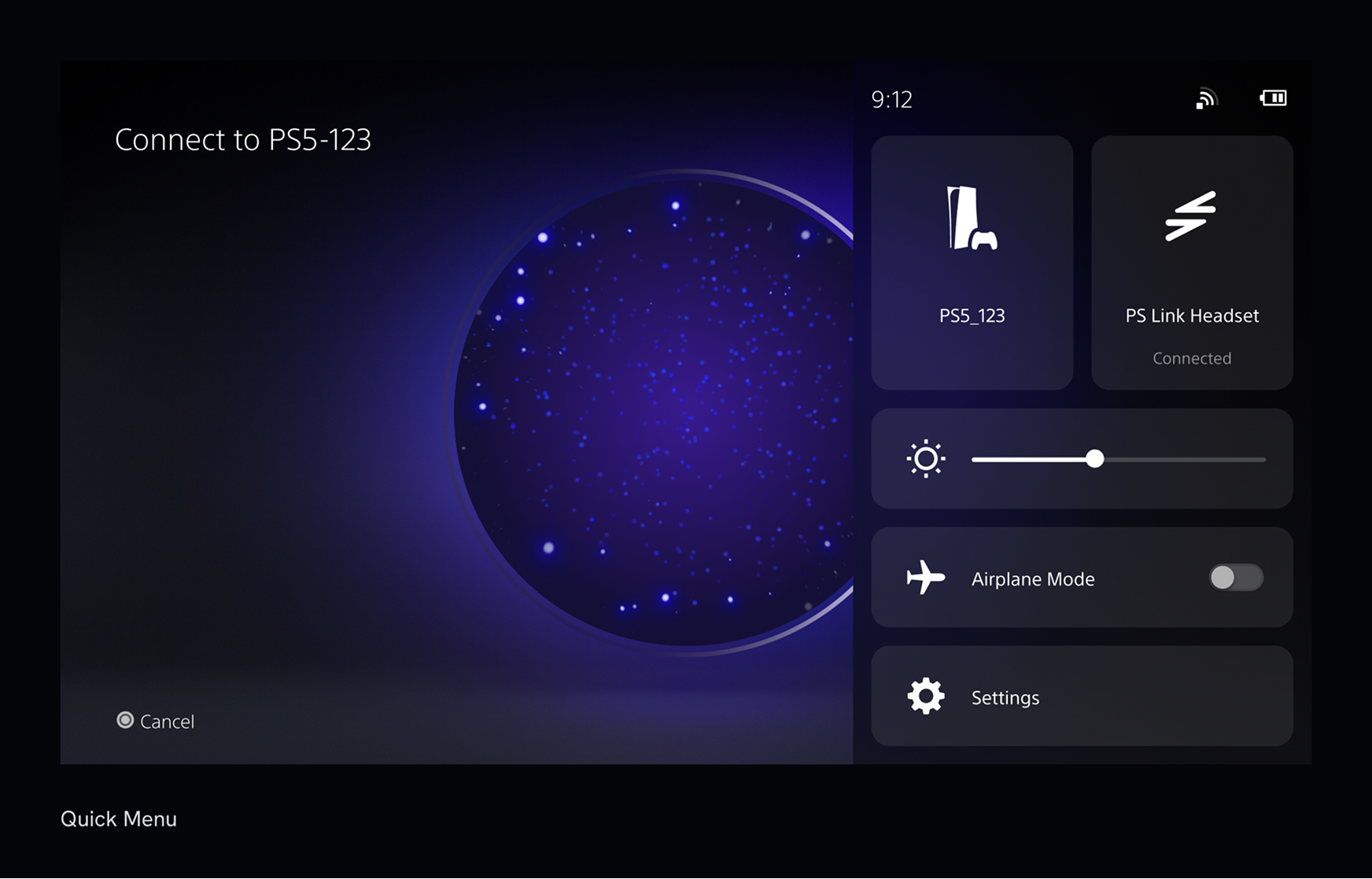
I designed the Quick Menu to bring common controls into the gameplay context. Players could make an adjustment, dismiss the menu, and return their attention to the game.
04 / DEGRADED CONNECTION
Make the warning match the moment.
I worked on the degraded-connection flow to make network problems visible without immediately taking over the screen. The system could signal a change, remain available for inspection, and clear the warning when conditions recovered.
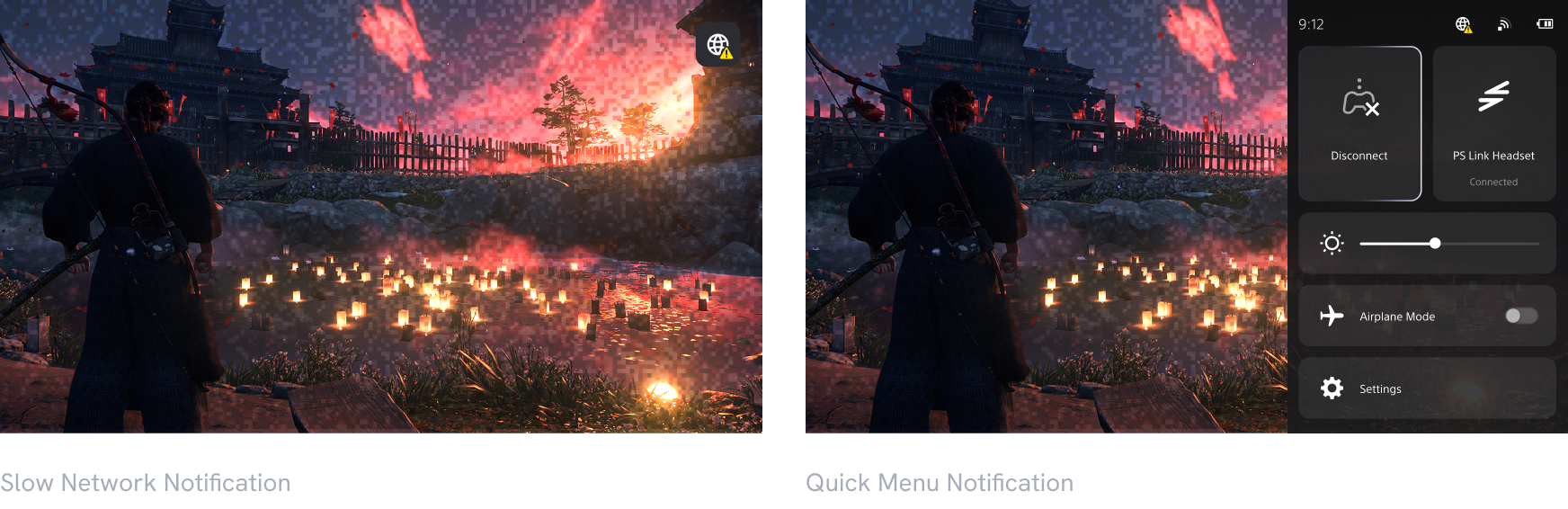
If network quality drops, users are shown a caution notification within Remote Play and the Quick Menu.
The balance: enough feedback to explain the problem, without giving a temporary network issue the same weight as a blocking failure.
The balance: enough feedback to explain the problem, without giving a temporary network issue the same weight as a blocking failure.
05 / SYSTEM DESIGN
Different surfaces. Familiar behavior.
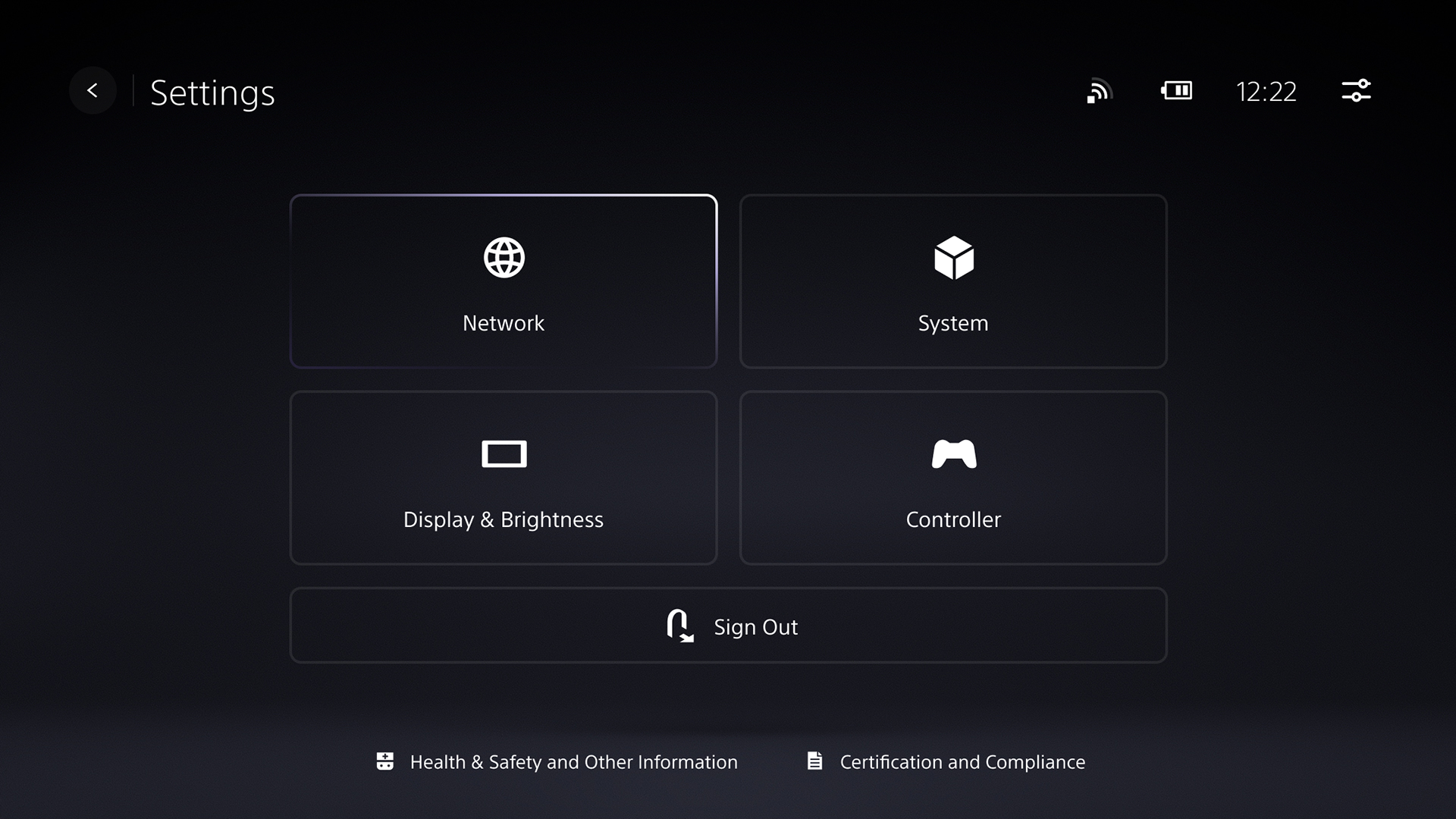
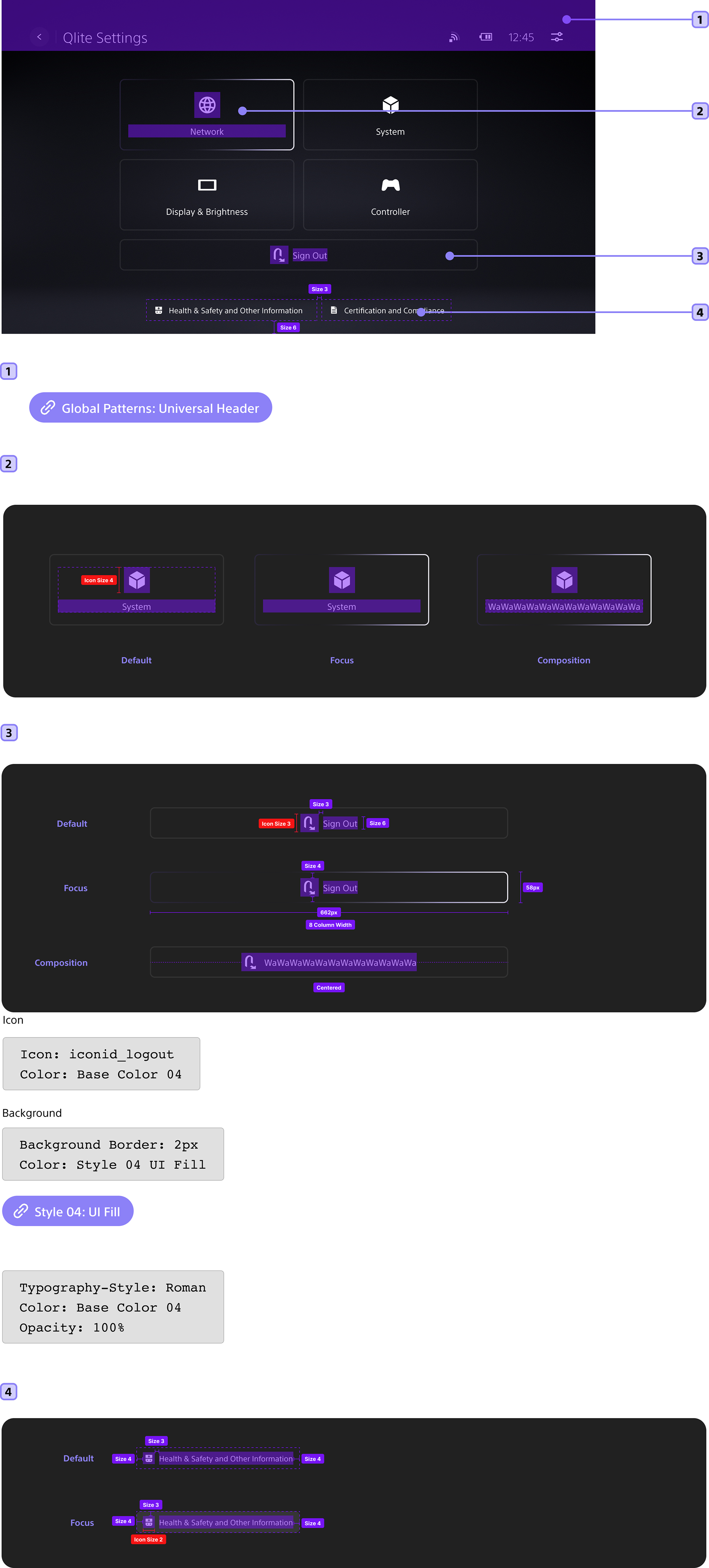
I co-designed Portal’s design system, helping establish shared layout, navigation, and interaction patterns across Home, Remote Play, Quick Menu, and Settings. The goal was consistency as the product and its requirements evolved.
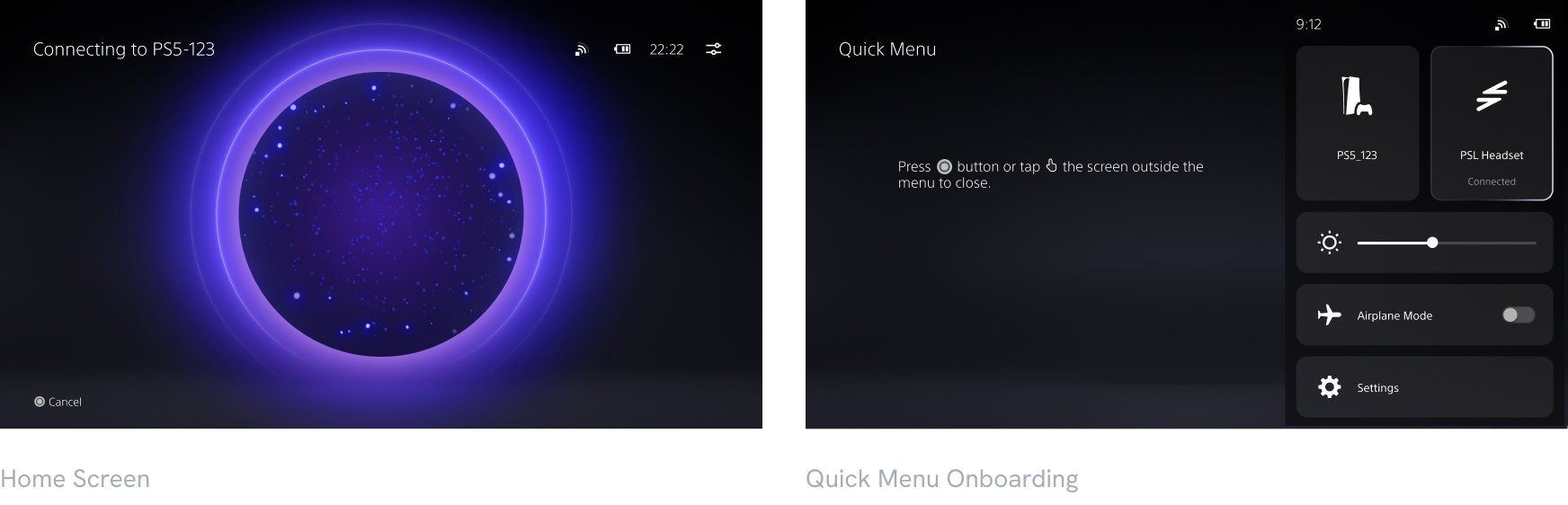
System Navigation
Shared navigation behaviors made moving through different systems experiences feel predictable.
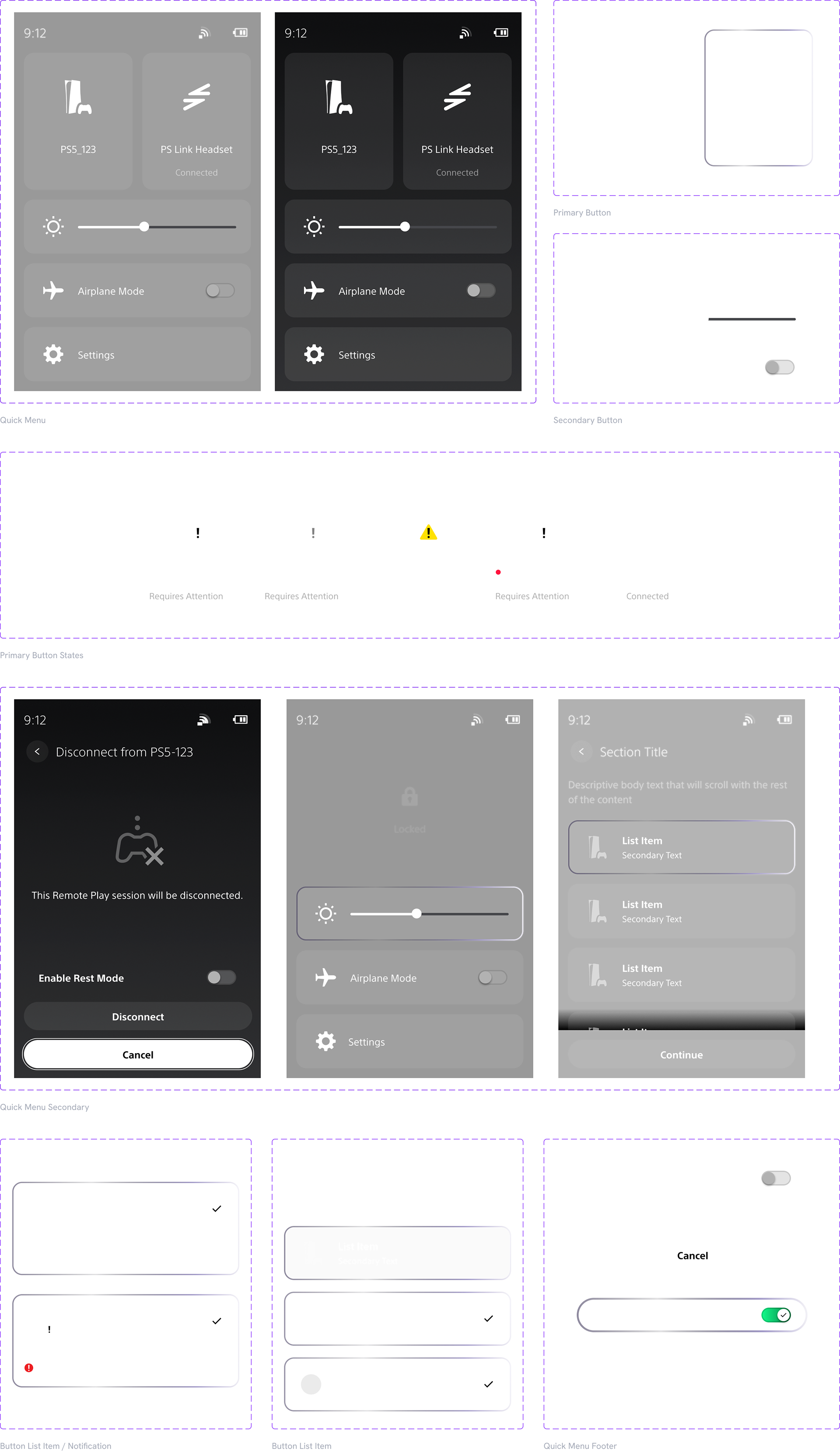
I owned the interaction and visual design for settings making it as consistent as possible with existing mobile and PS5 designs systems.
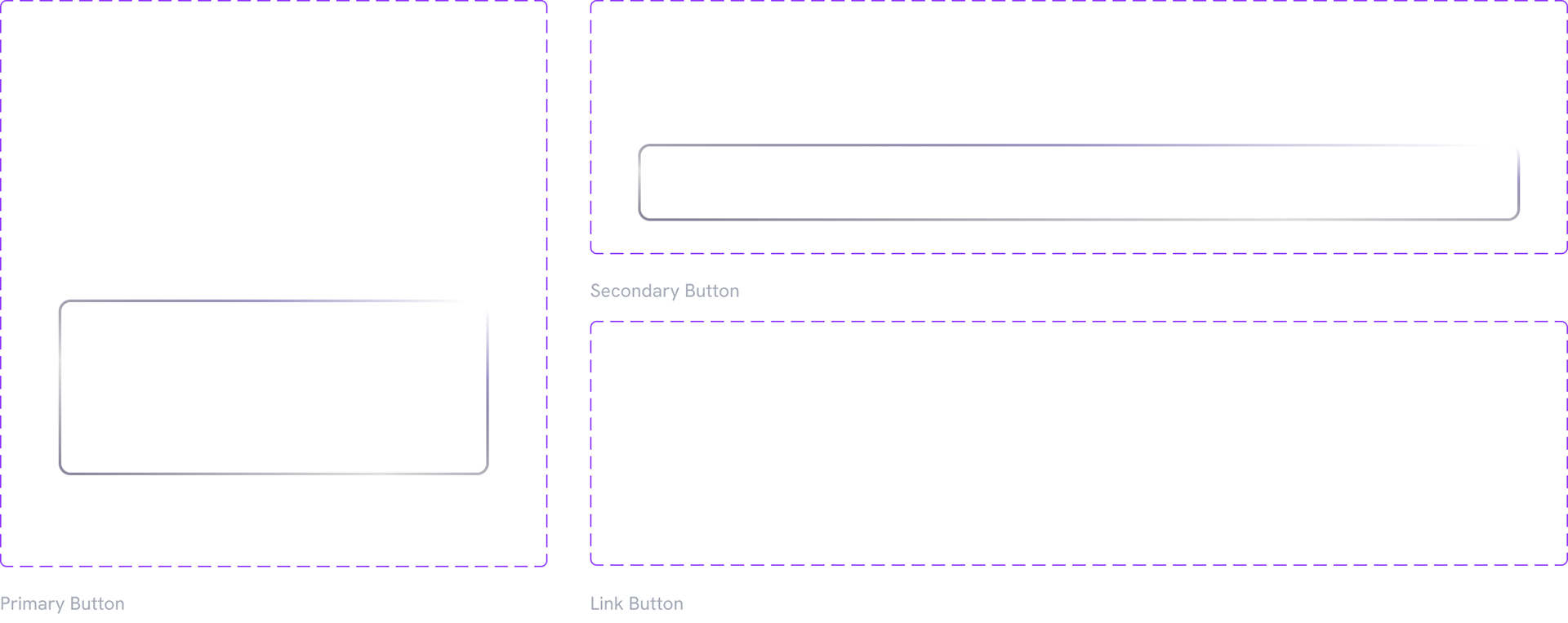
The work continued through production specifications, redlines, design reviews, and visual QA with engineering. Prototypes helped product, engineering, and leadership discuss behavior before implementation.
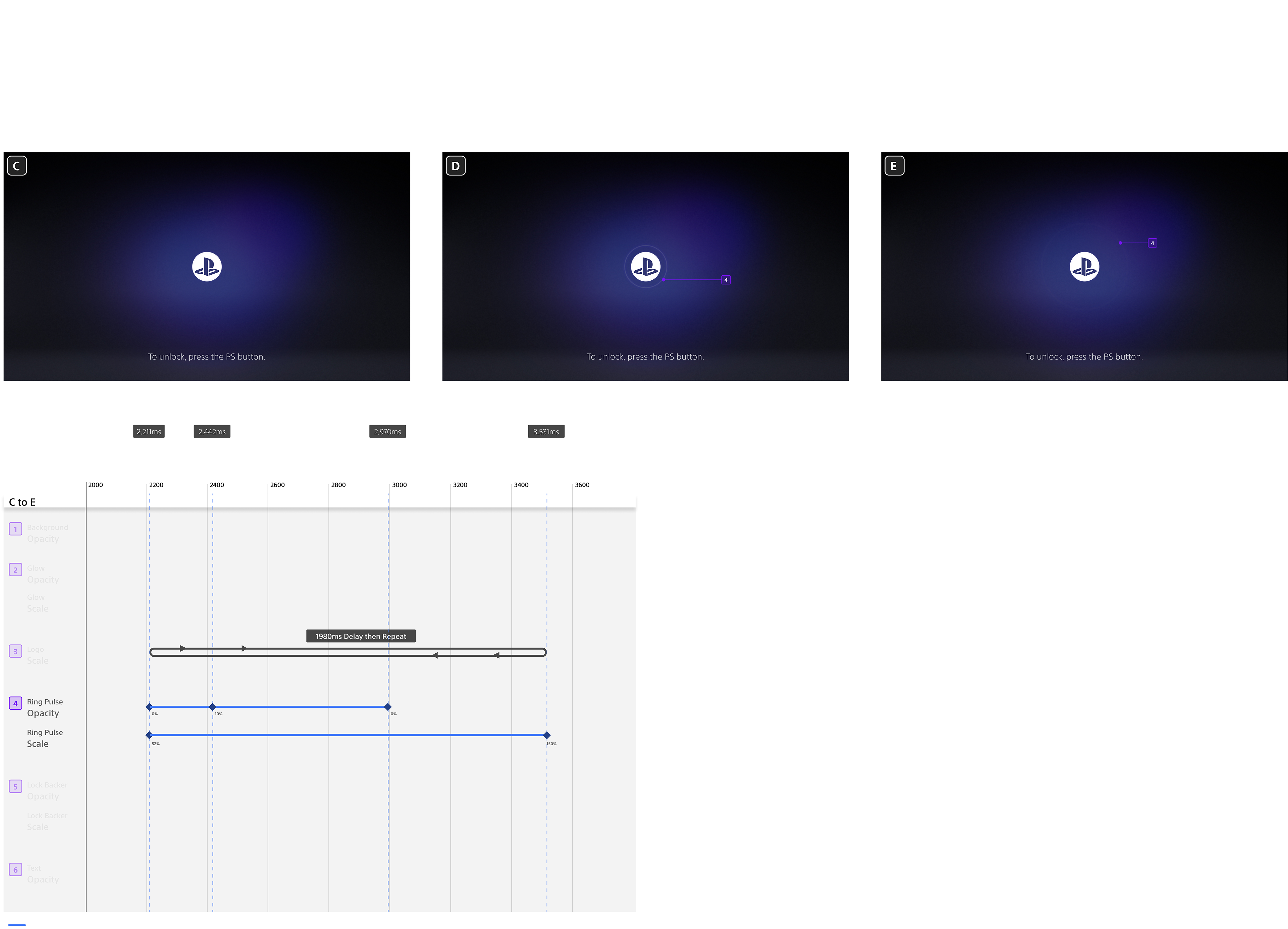
I created the motion design and concepts for the Lock Screen using After Effects and Figma.